Digital Safety Management on Construction Sites: The 2026 Guide
Transform your construction site safety with digital tools. Checklists, IoT wearables, AI detection, and Passeport de Prévention compliance strategies for modern site managers.
Read →
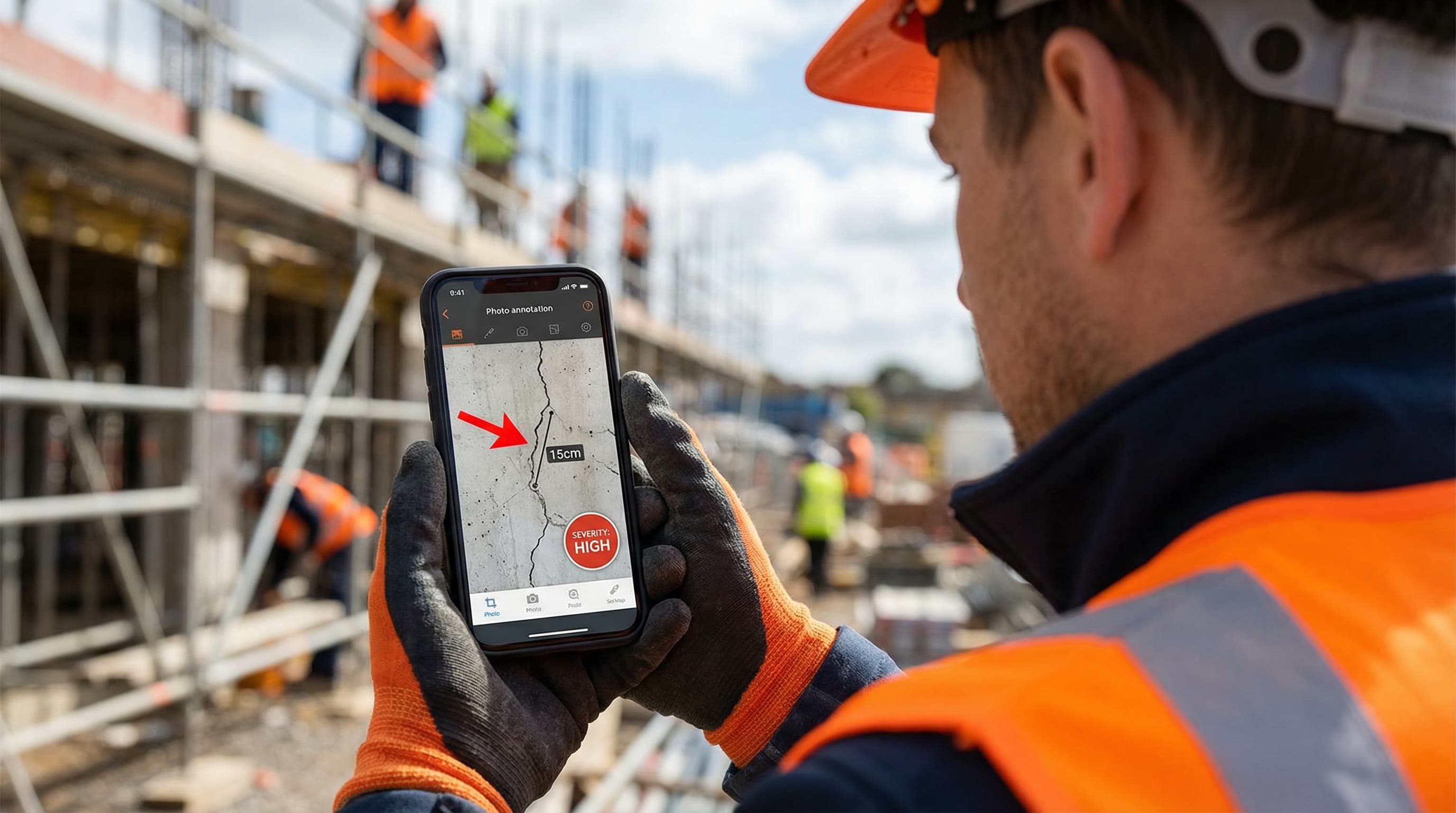
How annotated photos prevent costly mistakes, resolve disputes, and transform construction site documentation. Complete guide with techniques and best practices.
Picture this: A subcontractor receives an email about "water damage near the third-floor bathroom." They spend an hour searching the wrong area. Meanwhile, the actual leak continues, damaging two additional floors. Final repair cost: €50,000—all because a simple annotated photo could have shown exactly where the problem was.
This scenario plays out on construction sites every day. Text descriptions fail. Annotated photos succeed. Here's why, and how to make them work for you.
Construction sites are three-dimensional, constantly changing environments. Text struggles to describe them accurately.
Consider this description: "Crack in the wall near the electrical panel in the mechanical room."
Questions this raises:
Now compare that to an annotated photo showing the exact location with an arrow, a measurement overlay, and a severity indicator. No ambiguity. No interpretation needed.
Verbal descriptions in meetings fade. "We discussed the issue with the window frame" becomes "Which window? What issue?" two weeks later. An annotated photo in your meeting minutes eliminates this entirely.
On international projects or with multinational crews, technical vocabulary varies. "Spalling" vs. "concrete deterioration" vs. "écaillage"—all mean the same thing, but can cause confusion. A photo transcends language barriers.
Not all photos are equally useful. A blurry close-up of a defect with no context is barely better than a text description. Here's what makes a site photo actually useful:
Always start with a wide shot showing where you are:
Then capture the specific issue:
Different situations call for different annotation styles. Here's your reference guide:
Use for: Directing attention to specific spots within a larger image.
Best practices:
Use for: Communicating size, extent, or dimensions.
Best practices:
Use for: Defining areas of concern, work boundaries, or inspection zones.
Best practices:
Use for: Standardizing defect classification across a project.
Example system:
When everyone uses the same codes, triage becomes instant.
Use for: Before/after documentation, progress tracking.
Best practices:
Annotated photos aren't just communication tools—they're legal documents. Here's where they prove their worth:
When a dispute arises about work quality or completion, timestamped, geotagged photos provide:
During project handover, annotated photos of snag items:
If damage occurs, having a photographic history of the site helps:
Many building authorities now accept or require photographic evidence for:
Annotated photos only help if they reach the right people in the right context. Here's how to integrate them:
Don't describe findings—show them. Each observation in your report should have:
When discussing issues in site meetings, capture the annotated photo in the minutes. "We discussed the waterproofing concern" becomes "We discussed the waterproofing concern [photo attached] and agreed Marc will inspect by Friday."
If you use a snag list or defect tracking tool, photos should attach directly to each item. Tools like BrickNote make this seamless—capture, annotate, and log in one flow.
Compile all annotated photos chronologically for each area. This becomes:
We asked experienced site managers what makes their photo documentation effective:
"When you see something on site, capture it immediately. You can always annotate later when you're back at the office. If you wait to take the 'perfect' photo, you'll miss it entirely." — Site Manager, 15 years experience
"My naming convention: [Date][Building][Floor][Room][Issue].jpg. Finding photos months later becomes trivial." — Project Coordinator
"I imagine someone who has never visited the site looking at my photo. Would they understand it? If not, I add more context." — Quality Manager
"I keep the original unannotated photos in a separate folder. Annotations are interpretations—sometimes you need the raw image for disputes." — Construction Lawyer
"I used to only photograph problems. Now I photograph everything—progress, completed work, conditions. It's saved me multiple times when someone claims something 'was never done.'" — General Contractor
Keep this on your phone or print for your site office:
Text describes. Photos show. Annotated photos prove. In an industry where miscommunication costs millions and disputes drag on for years, investing in better visual documentation isn't optional—it's essential.
Start today: Take one annotated photo of a current issue on your site. Share it with your team. Notice how much clearer the communication becomes.

Transform your construction site safety with digital tools. Checklists, IoT wearables, AI detection, and Passeport de Prévention compliance strategies for modern site managers.

Transform your construction site meetings from time-wasters into productivity powerhouses. Data-backed strategies, proven frameworks, and actionable checklists for site managers.