Prepare a competition entry
Make an anonymous film for a jury: an end card and files that name no one, a check for names in your pictures, the control note kept apart, and a signed short cut for after the results.
Pick Competition film
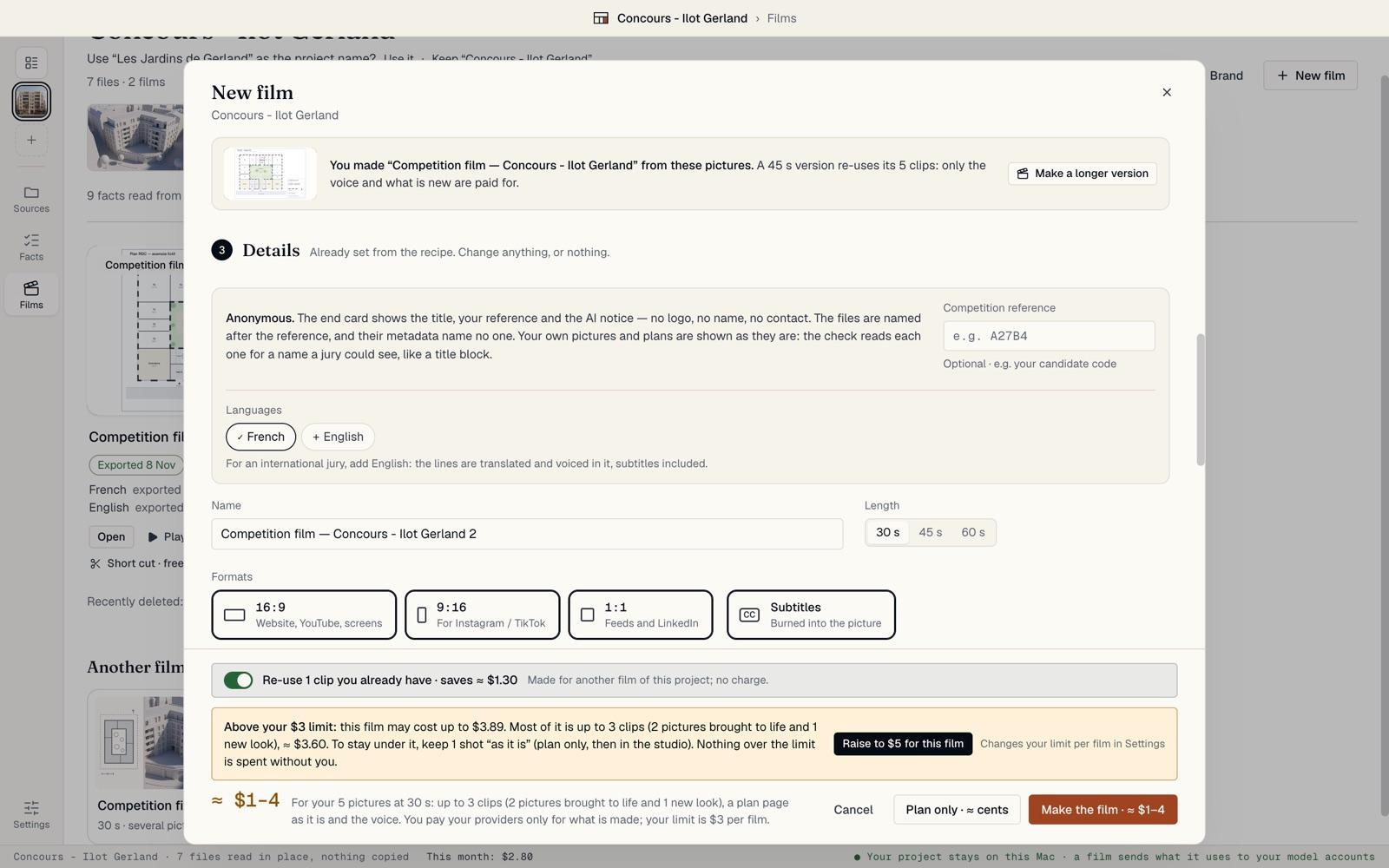
In New film, pick Competition film: the plan, the massing model as it is, then the renders, described by a calm voice. It is Faithful, its lines describe and never sell, and a check flags any sales talk.
The film is anonymous. Type your candidate code in Competition reference. Add English for an international jury: the lines are translated and voiced in it, subtitles included.
Check the anonymous end card
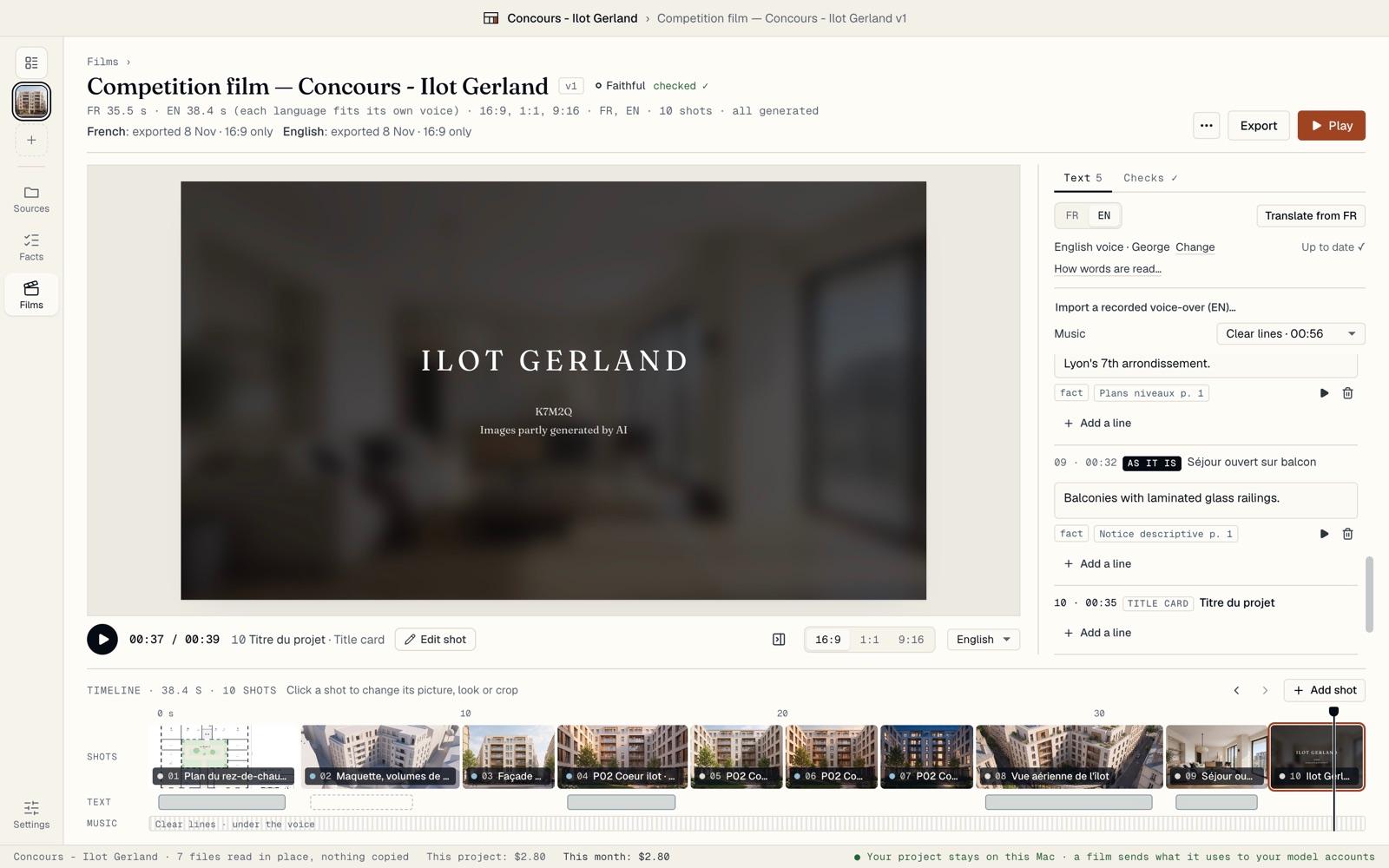
The film ends on its title, your reference and the AI notice: no logo, no name, no contact line. Your brand never shows on an anonymous film, even after you save it.
Your own pictures and plans are shown as they are. That is why BrickNote reads each one for names.
Clear the names from your pictures
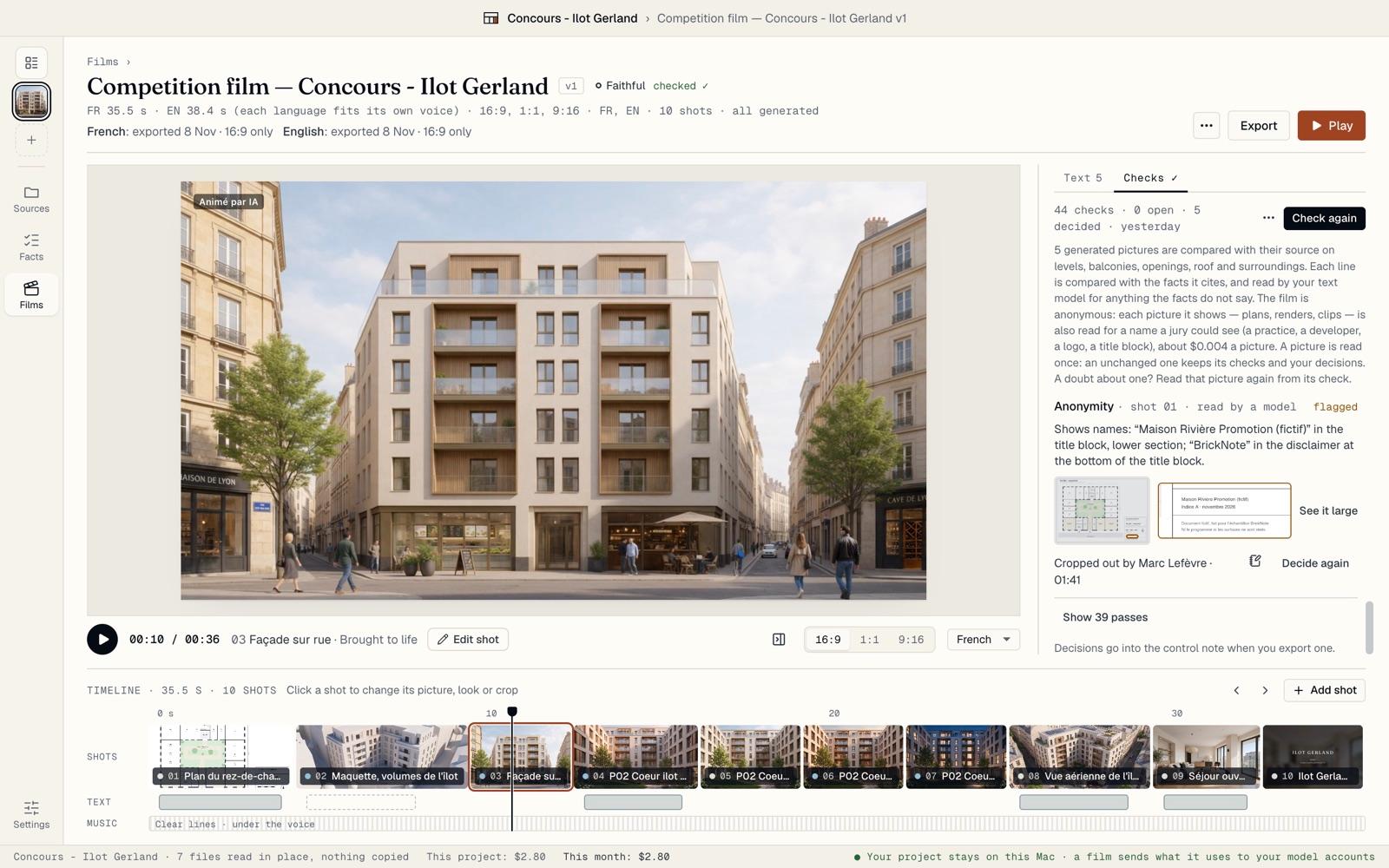
Run the check from Checks. Every picture the film shows, plans, renders and clips, is read for a name a jury could see, for about $0.004 a picture.
A title block that names the developer is flagged under Anonymity. Crop the title block out reframes the shot without it, in every format, and the decision is recorded: “Cropped out by …”. See “Check a Faithful film” for the other choices.
Export files that name no one
The Export page says what is anonymous. The files are named after your reference, such as “K7M2Q_16x9_FR.mp4”, and their metadata name no one. “Every picture was read for names: nothing left to decide” means the check is done.
If an older export folder still holds a control note next to the films, BrickNote says so, with Show it. Take the note out before that folder is sent.

Keep the note apart
The control note names you and your decisions, so it never travels with the films. For a competition film, it is written to its own folder, “Interne — ne pas envoyer”, inside BrickNote. Show the note opens it.
Send the films from Current files to send: the note is never among them.

After the results, make a signed short cut
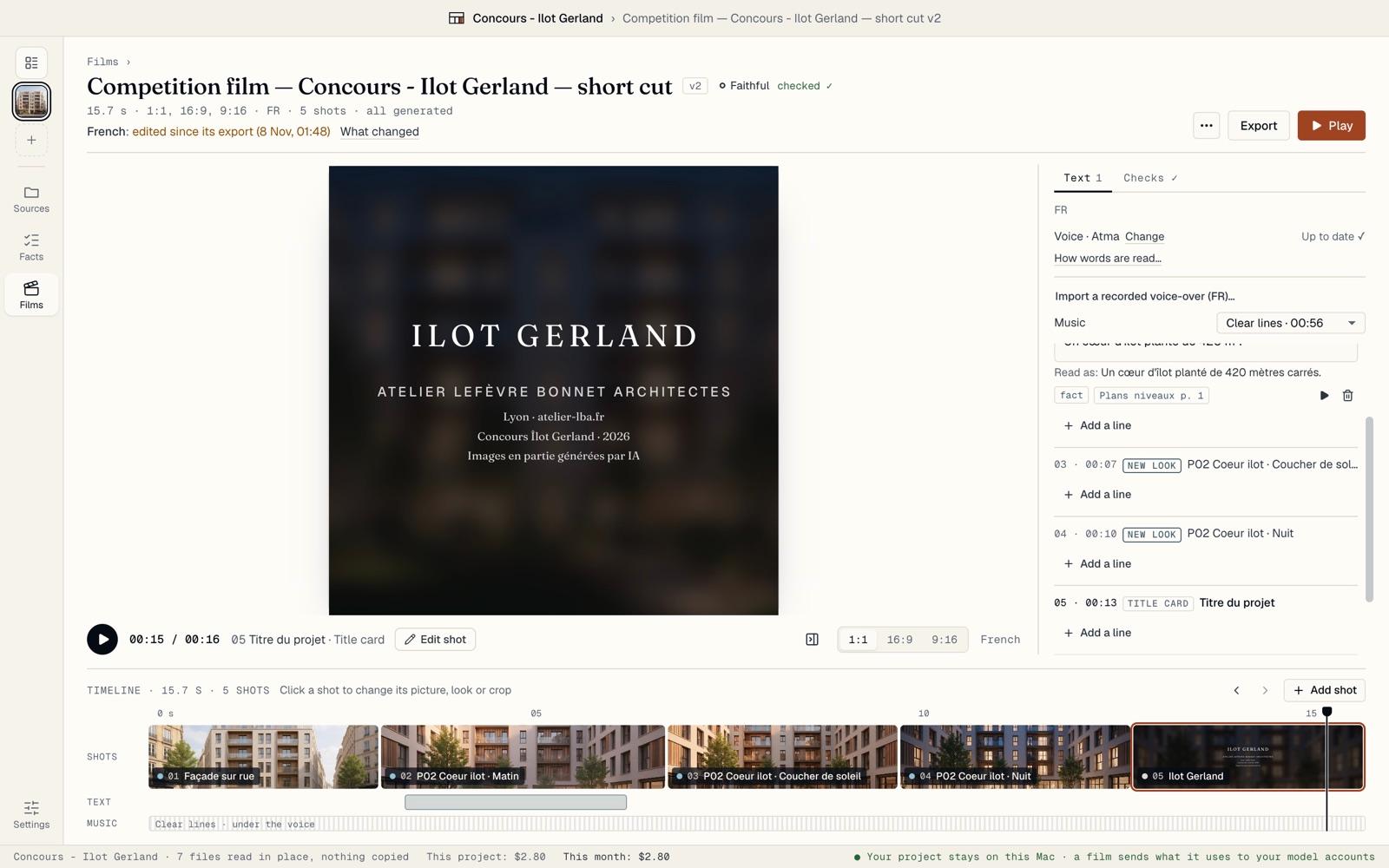
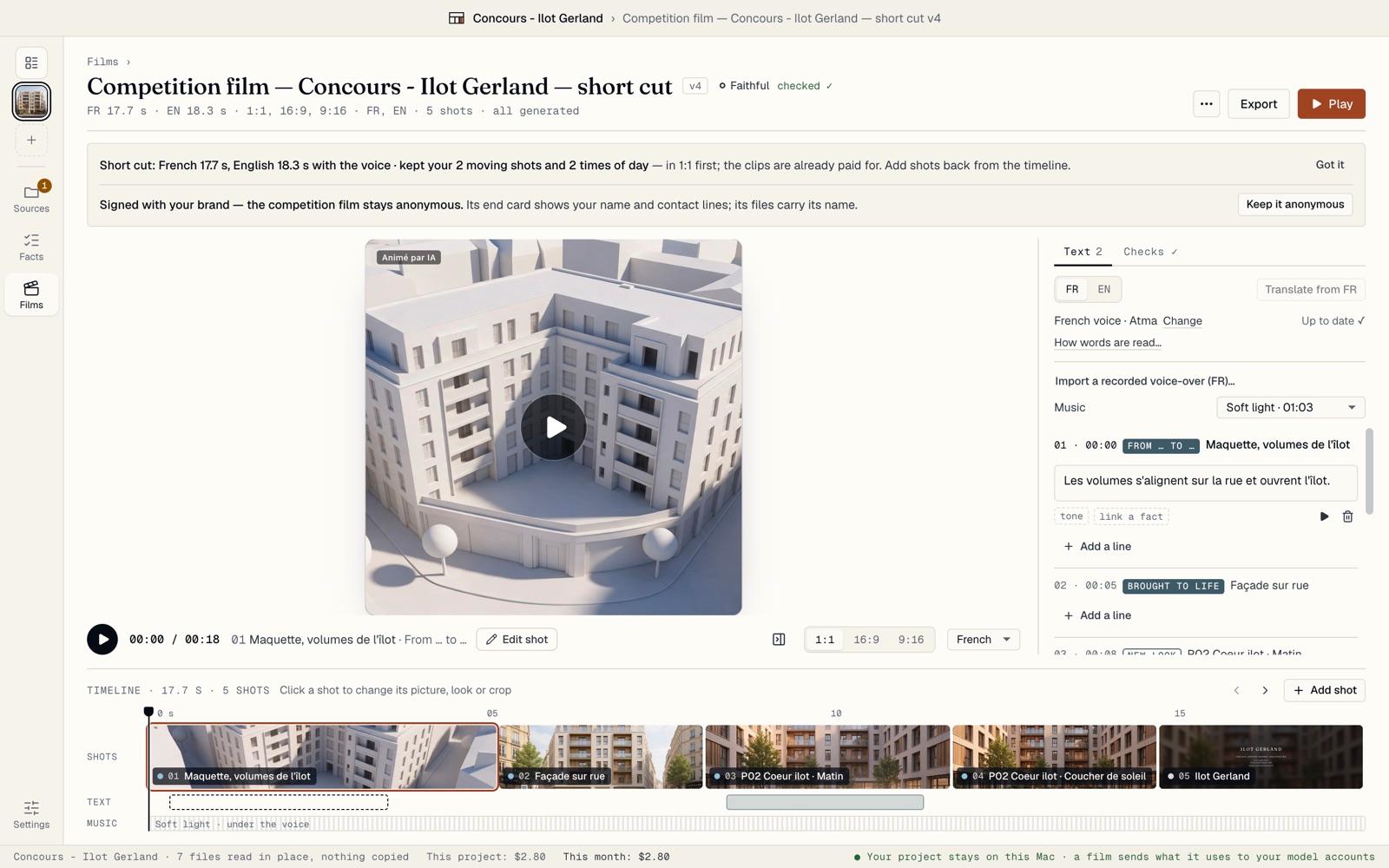
On the film’s card, click Short cut · free. BrickNote makes a new version of about 15 seconds, in 1:1 for LinkedIn: your moving shots first, then the end card. The clips are already paid for.
This version is signed with your brand, and the competition film itself stays anonymous. Keep it anonymous removes the brand from the short cut too.
Sign it
The short cut ends on your brand: the title, your practice’s name and your contact lines. Set them once in Brand; every signed film uses them.
Export it like any other film. Its files carry its own name, not your reference.