Check a Faithful film
In a Faithful film, BrickNote compares each generated picture with your source and each line with your documents. It flags; you decide, and each decision is recorded.
Run the check
In the studio, open the Checks tab and click Run the check (later, Check again). The button shows the price: under a cent per picture, read by your vision model.
Each generated picture is compared with its source on Levels, Balconies and terraces, Openings, Roof and attic and Surroundings. Each line is compared with the facts it cites, and must keep their qualifiers. A line asks to be checked again when a fact it cites, or the document behind it, changes. A picture is read once: an unchanged one keeps its checks and your decisions, so checking an unchanged film again costs nothing.
Checks flag; they never block. Nothing stops you from exporting.
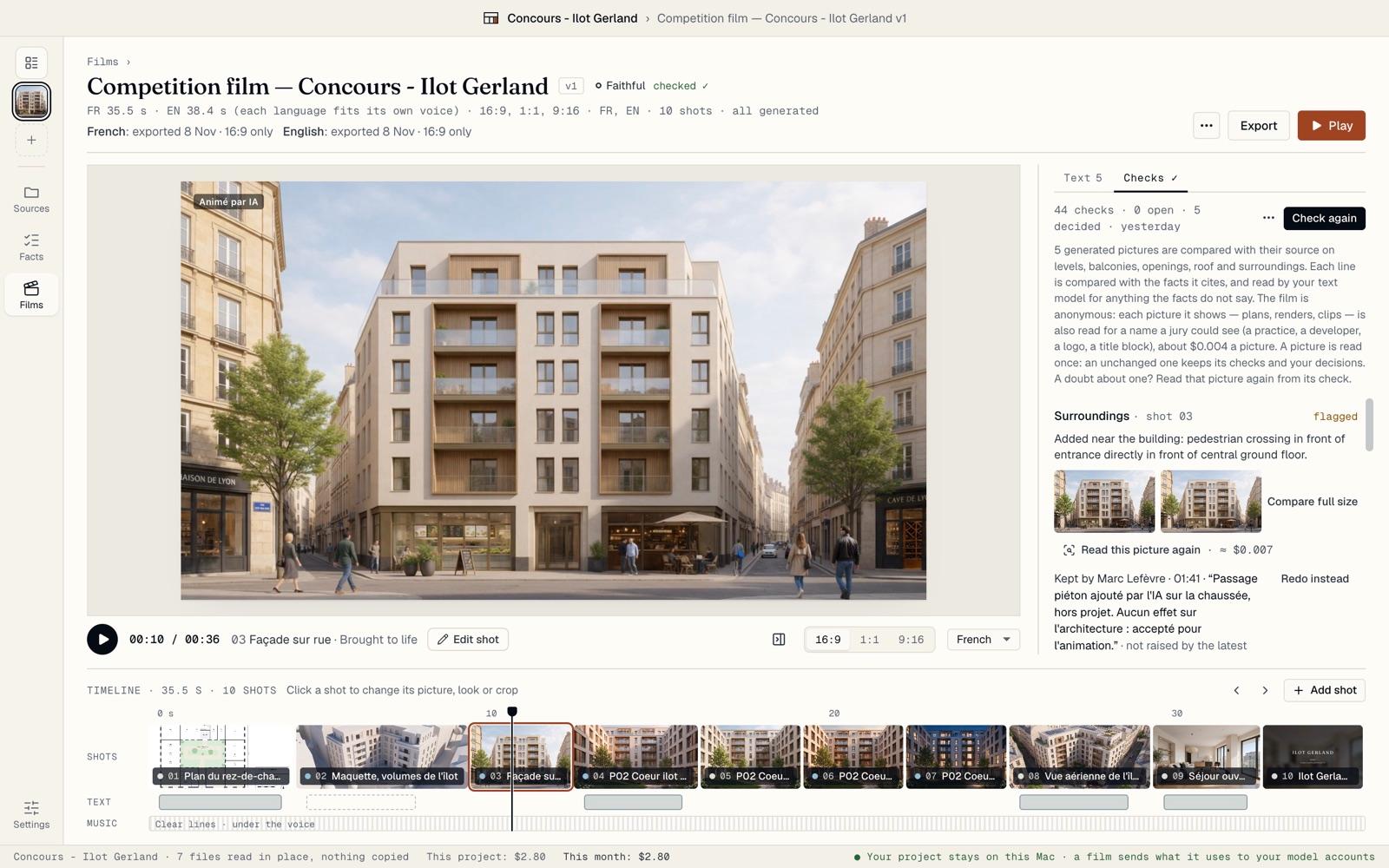
Read a shot’s check
Each shot shows its own check at the bottom of its panel: each criterion with ✓, or flagged with the reason in plain words. Here, the AI added a pedestrian crossing in front of the entrance.
The levels are counted on both pictures: “Levels: 6 in your picture, 6 here”. BrickNote also compares your pictures with your brochure and with each other, and flags a picture that shows a different number of levels.
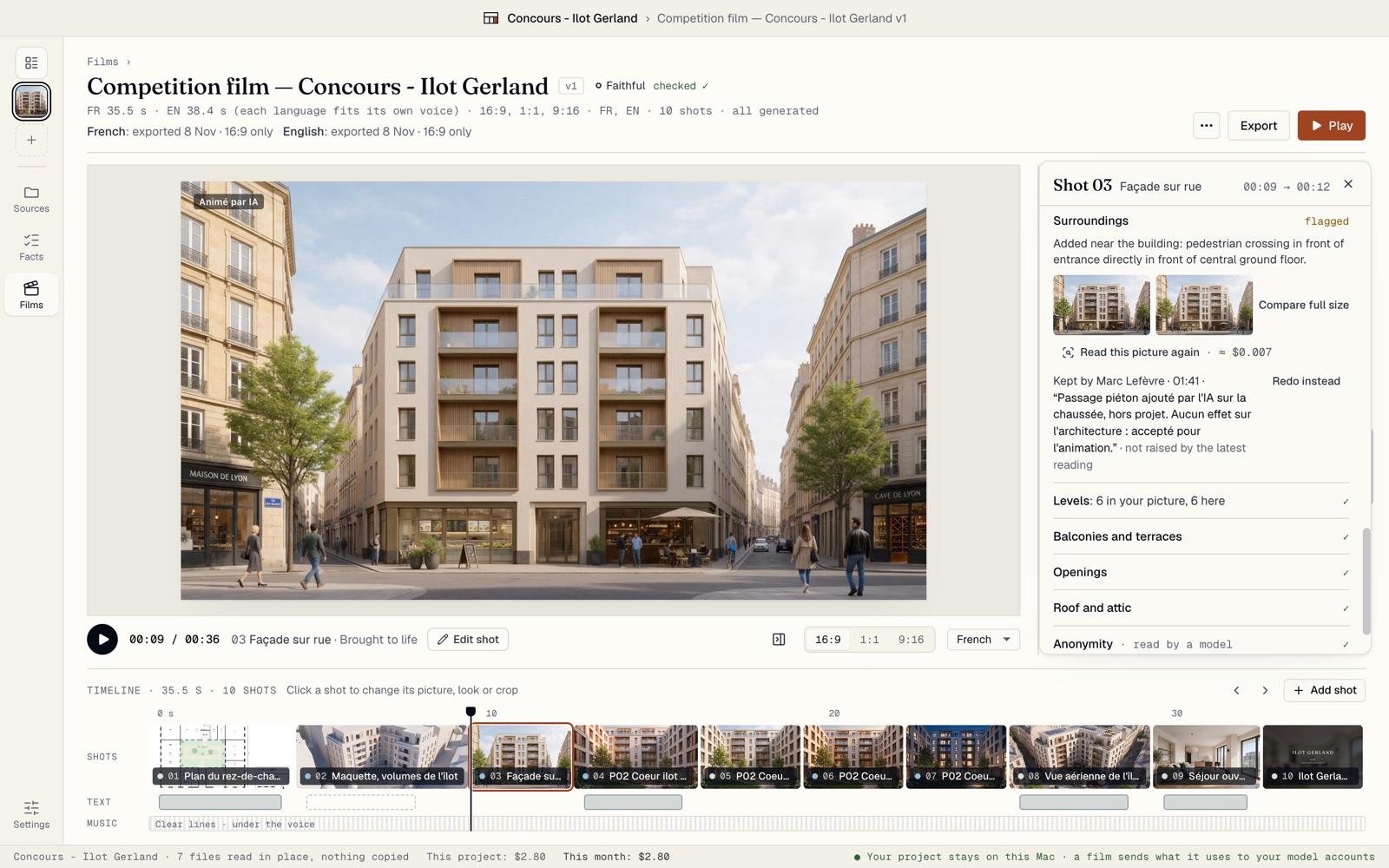
Look closer
Click Compare full size. Your source and the generated picture show side by side, at the same size. Click Flicker to switch between the two in place: what moves is what changed.
If you doubt a reading, Read this picture again asks the vision model once more, for under a cent. Your decisions and notes stay.
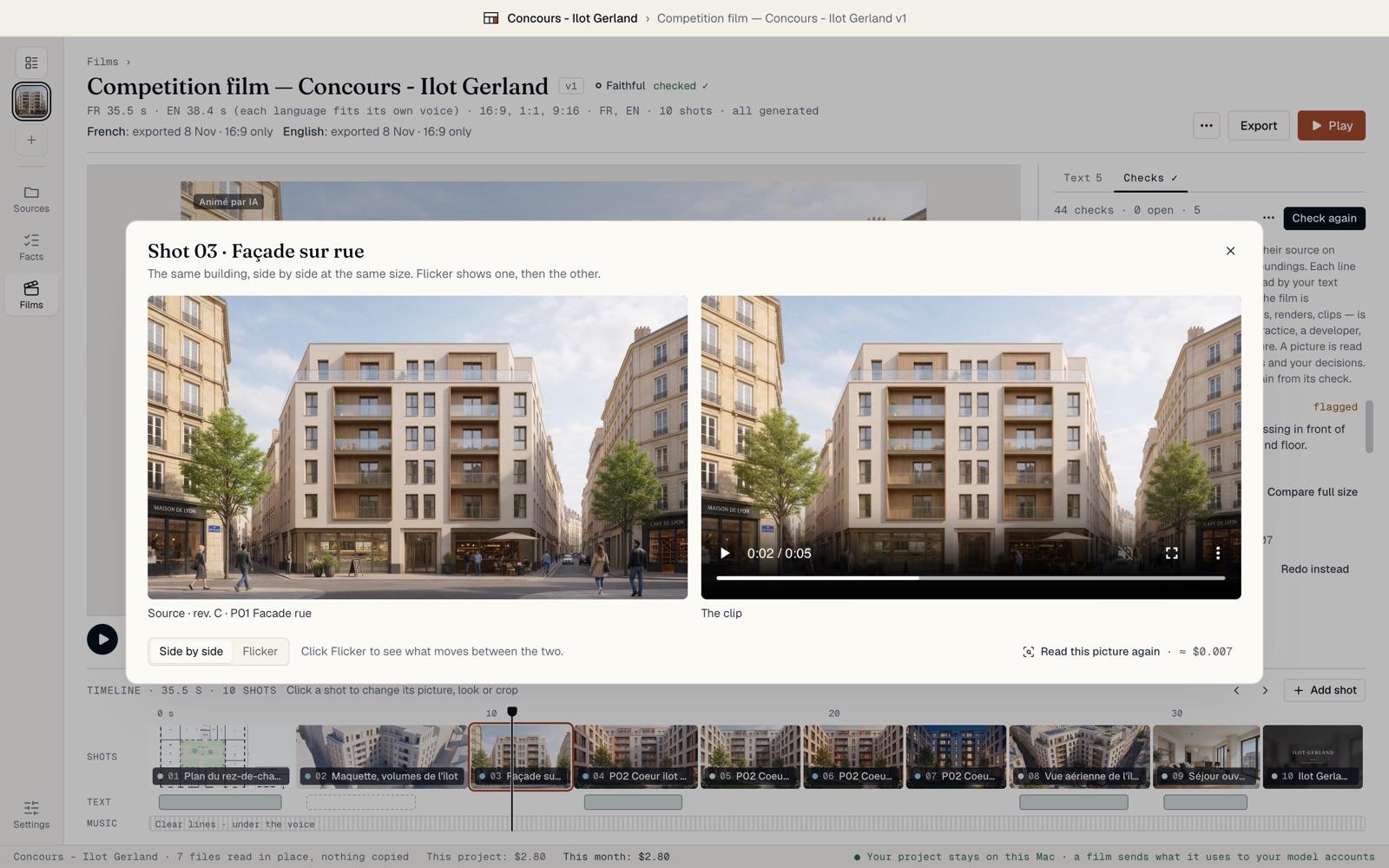
Decide on each flag
For each open flag, choose. Redo marks the picture to be made again; on a line, Rewrite opens it to edit. Keep keeps it as it is. Keep, with a note keeps it and says why.
Your name and the time are written beside each decision: “Kept by Marc Lefèvre · 04:20”, then your note. BrickNote asks for your name the first time, or set it in Settings › Defaults. Redo instead or Keep instead changes your mind.
When a flag is about the documents, not the AI, you can also Change the picture, Remove the shot or Ask the design team, which copies a question to paste in an email. A decision on a clip follows that same clip into your other films.
Flags you kept, and names cropped out, fold under Show the recorded decisions, so what is left to do stays in view.
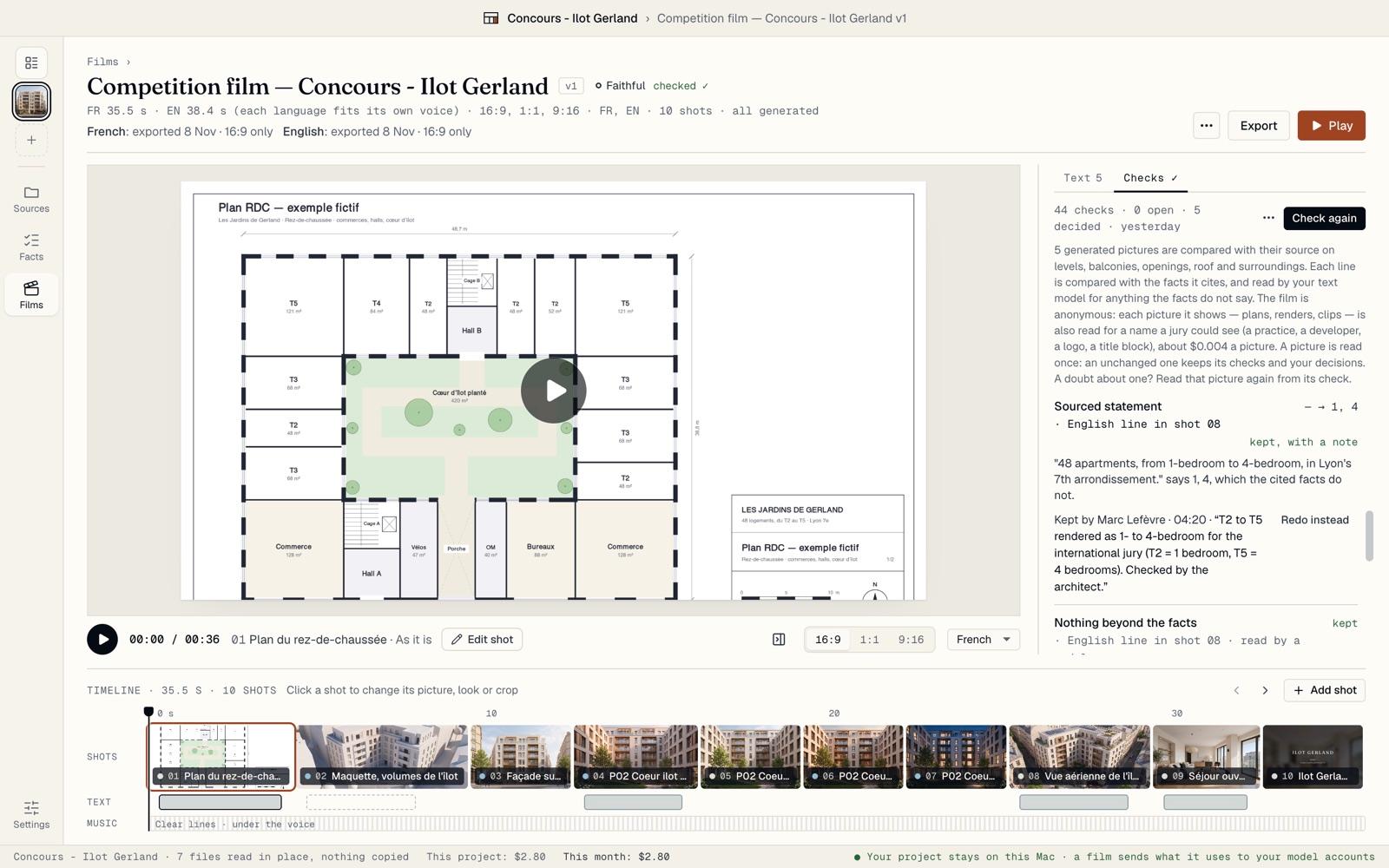
Take names out of an anonymous film
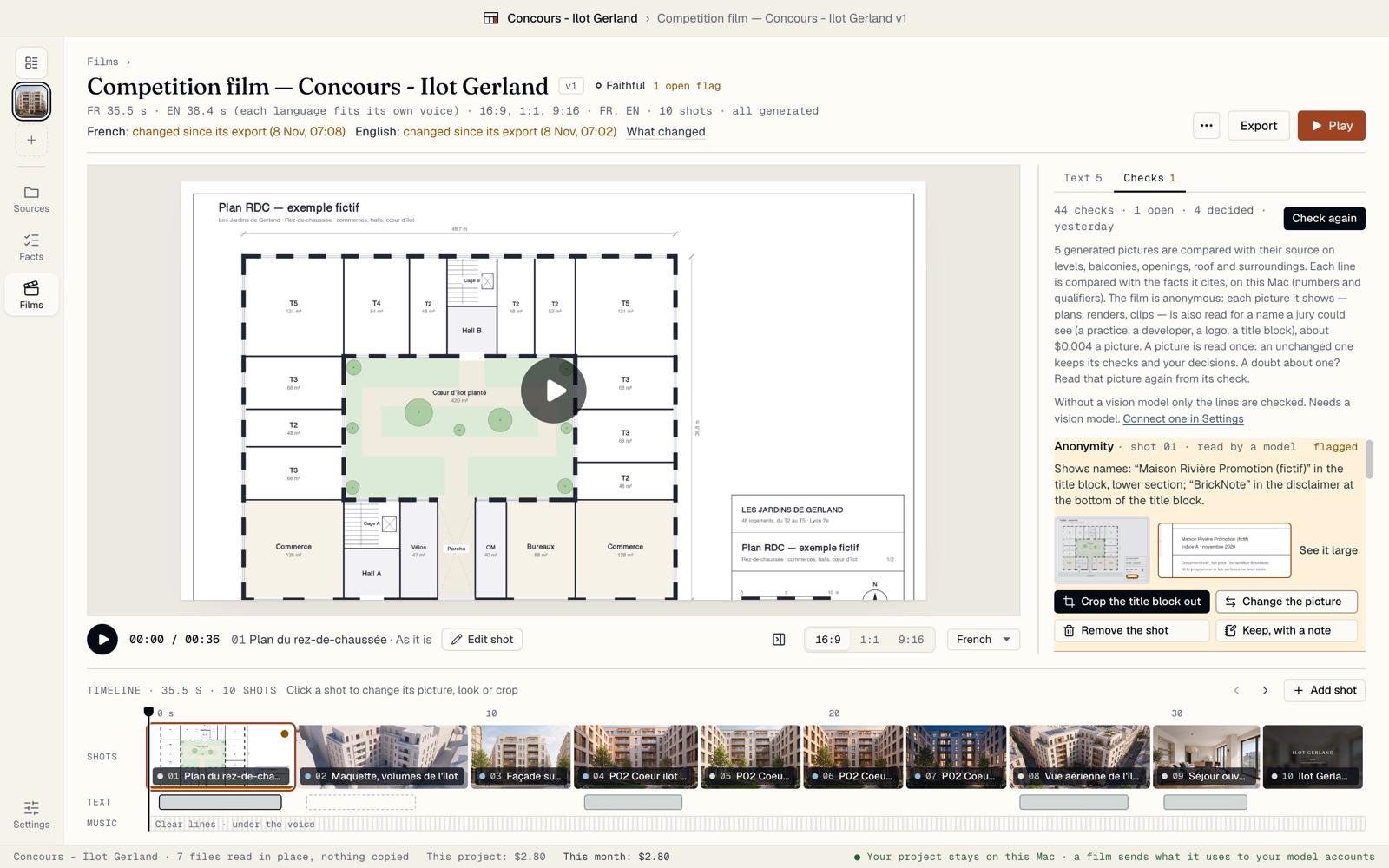
In an anonymous film, every picture it shows is also read for a name a jury could see: a practice, a developer, a logo, a title block. It costs about $0.004 a picture.
A name found is an Anonymity flag. Crop the title block out frames the shot so the name is out of the picture, in every format. You can also Change the picture, Remove the shot, or Keep, with a note. Undo takes any of them back.
Find your decisions in the control note
The Export page sums up the flags: how many to redo, cropped out, kept, and still open. The control note, a PDF written with the export, lists every check and every decision with its author, its time and its note.
The note describes what was checked; it certifies nothing. BrickNote is a tool and gives no legal guarantee: what you publish stays your decision.
